How to Get Notified when an item is Back in StockUpdated 2 hours ago
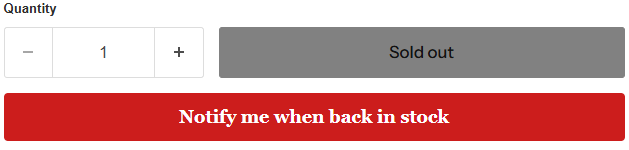
Found the amp, subwoofer, or wiring kit you want on BigJeffAudio.com, but it is sold out? Use Notify Me on the product page to get an alert when it is back in stock. It saves you from having to keep checking the site.
How do I sign up for a restock alert?
- Open the product page for the item you want.
- If the product has options, select the exact model, size, or impedance you are looking for.
- Click Notify Me and follow the prompts to sign up.
- When the item comes back in stock, we will send you an alert so you can return to the product page and place your order.
Does signing up reserve the item?
No. Signing up for a restock alert does not reserve an item or place an order. Signing up is free, and the alert lets you know when the item is available again. You will need to return to the product page and complete your purchase separately.
Popular gear can sell out quickly, so check the product page as soon as you see the alert. Availability is not guaranteed when you receive a notification.
What is the difference between Notify Me and Pre-Order?
- Notify Me: Sign up for a free alert when an item comes back in stock. You have not purchased or reserved the item.
- Pre-Order: When available, place an order ahead of time to reserve an item before it is in stock and ready to ship.
Want to catch the next restock? Find the gear you want at BigJeffAudio.com and click Notify Me on the product page.